How to Create a Portfolio with Your GitHub README 🏗️
24 Jul, 2020 • 1 min read
Turn your GitHub profile into a personal portfolio using the special README feature, with layout ideas and markdown tips.
Listen
Playback speed
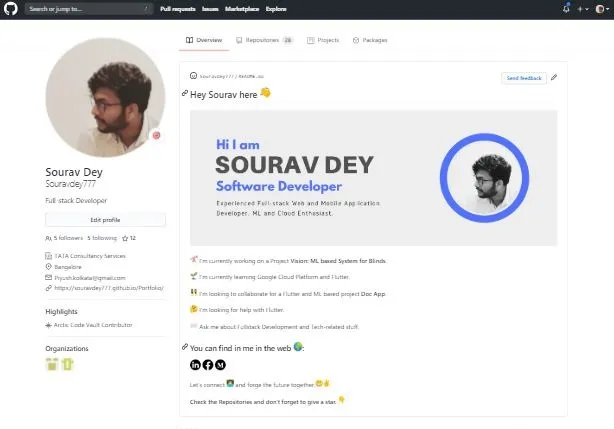
The above screenshot is an older version of my profile. you can check the latest in my GitHub profile
Yes, within your Github account only you can create an awesome Portfolio.
check out the steps below 👇
Steps to Create the Special Repo:
Step 1:
Click the “New” button on your GitHub home page.
Step 2:
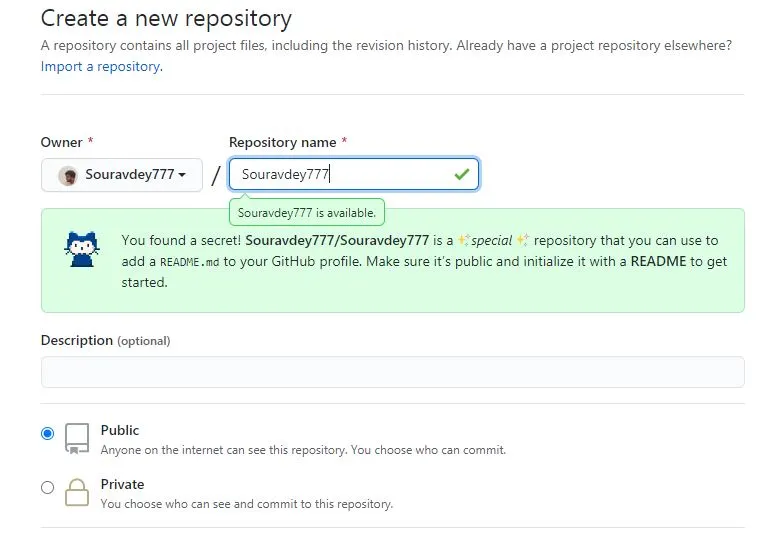
Now Enter your username in the repo name.
You will get to see the secret message popups out.
“You found a secret! Username/Username is a special repository”
“You found a secret! Username/Username is a special repository”
Step 3:
Follow the steps given in the secret message. Make your repo. public and initialize a
Readme.md file by enabling the checkbox. Click on the Create Repo. button.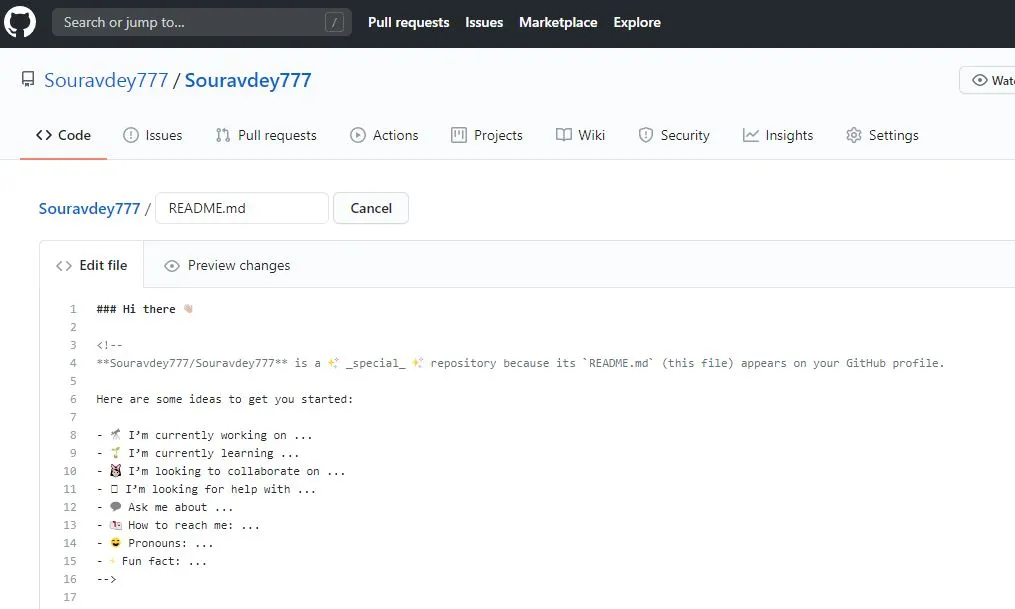
Step 4:
Start editing your Readme file with the Initially given template. 👆 Make it look appealing, add images, your project details, ask for collaboration, and You are done.
You can also add your professional work experience details here.
Congrats 😏 you just created an Open Source Portfolio in a few mins.
You can check mine and follow me. 👇
Github
Github
You can also deploy the same link this using GitHub pages.
Souravdey777 | Sourav Dey : Portfolio | Github Pages
Souravdey777 | Sourav Dey : Portfolio | Github Pages
Contact me
Related reads
Portfolio Website Development 🏗️ - Part 4Portfolio series Part 4: Next.js 15 App Router, Velite and MDX, SEO with sitemap, RSS and JSON-LD, global search, theming, and lessons from souravdey.space.3 min readPortfolio Website Development 🏗️ - Part 3Part 3: Next.js 13 App Router, Contentlayer + MDX in the repo for blogs and mind nuggets, CSS modules, Framer Motion, real URLs instead of scroll sections.2 min readPortfolio Website Development 🏗️ - Part 2Portfolio website development, Part 2: implementing the UI, adding content sections, and deploying the first version of the portfolio live on the web.2 min readPortfolio Website Development 🏗️ - Part 1The journey of building my personal portfolio site from scratch: choosing the tech stack, planning the design, and setting up the project.1 min read